 Proxylity
Proxylity
Proxylity
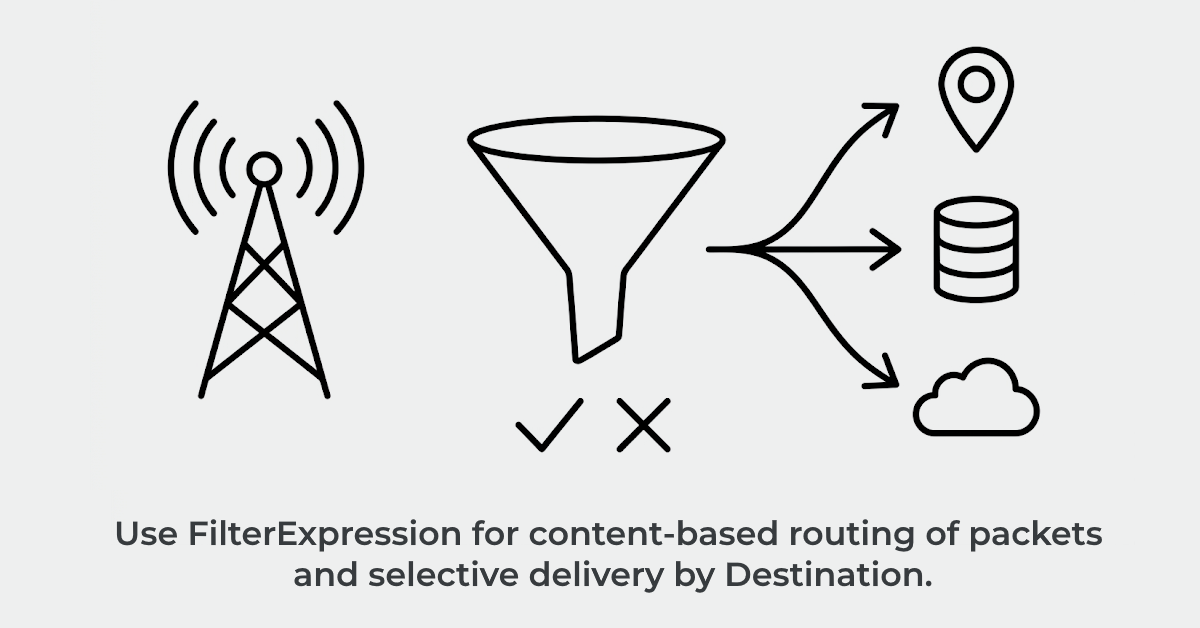
Not every destination needs every packet. A listener receiving MAVLink drone telemetry might have one destination that processes GPS positions and another that tracks heartbeats. An IoT gateway receiving sensor data might need to route temperature readings one way and motion events another. Until today, filtering that traffic required a Lambda intermediary.
We have released FilterExpression, an optional property on any destination that evaluates a BREX expression against each inbound packet. Only packets that produce a truthy value are delivered to the destination. Packets that do not match are dropped, and importantly, they are not billed. This features is designed to eliminate Lambda glue code and reduce unnecessary processing and cost.
Without filtering, you have a few choices. You can send every packet to every destination, but that wastes money and processing cycles. You can write a Lambda function to inspect packets and route them to the right destination, but that adds latency, increases costs, and creates another service to maintain. Or you run multiple listeners (e.g. one per destination), but that fragments your architecture and complicates client configuration.
FilterExpression solves this elegantly. One listener receives the entire stream. Each attached destination specifies its own filter. A listener with three destinations might send packets matching condition A to Lambda, packets matching condition B to DynamoDB, and everything to S3 for archival. The result: a clean, declarative architecture with zero Lambda overhead.
A fleet tracking system may receive packets from thousands of GPS trackers, each sending a variety of message types. Each packet includes a message type byte that identifies it as a position update, a status report, or a heartbeat. With FilterExpression, you route position updates (e.g. message type 0x21) to your location service, status reports (e.g. type 0x22) to a status table, and everything to a long-term archive. All from one listener, no Lambda function, no extra complexity.
FilterExpression is a BREX expression — the same language we use for extracting fields in SQS, Location Service, and IoT Data destinations. The expression is evaluated against each inbound packet, and if the result is truthy, the packet is delivered. If the result is falsy (or an error occurs), the packet is dropped.
Simple examples:
// Deliver if the first byte is exactly 0x21
FilterExpression: "[0] == 0x21"

// Deliver if the first byte is in a certain range
FilterExpression: "[0] >= 0x10 && [0] <= 0x1F"

// Deliver if a specific flag bit is set
FilterExpression: "[0] & 0x80 == 0x80"
The filter is evaluated before delivery. Packets that do not match are not delivered and are not billed. When you
enable CloudWatch Metrics on a destination, two new metrics track filtered traffic: FilteredPackets
(count) and FilteredBytes (total bytes). This gives you visibility into how much traffic each filter
is rejecting.
On WireGuard listeners, you can enable DecapsulatedDelivery so the destination sees the inner IP
packet instead of the encrypted WireGuard frame. FilterExpression respects this setting: when DecapsulatedDelivery
is enabled, the filter evaluates the decapsulated payload. When it is not, the filter evaluates the raw packet.
This means your filter expressions always see the data the destination sees.
The real power of FilterExpression emerges with composite destinations, which describes attaching multiple destinations to a single listener. Each destination can have its own filter, creating a content-based router without any glue code.
Here is a complete CloudFormation example with a listener that filters MAVLink telemetry to three different destinations:
{
  "Type": "Custom::ProxylityUdpGatewayListener",
  "Properties": {
    "Protocols": ["udp"],
    "Destinations": [
      {
        "Name": "gps-positions",
        "Description": "Location Service for GPS positions",
        "DestinationArn": { "Fn::GetAtt": ["MyTracker", "Arn"] },
        "FilterExpression": "[5] == 33",
        "Role": { "Arn": { "Fn::GetAtt": ["LocationServiceRole", "Arn"] } },
        "MetricsEnabled": true
      },
      {
        "Name": "heartbeats",
        "Description": "DynamoDB for heartbeat tracking",
        "DestinationArn": { "Fn::GetAtt": ["StatusTable", "Arn"] },
        "FilterExpression": "[5] == 0",
        "Role": { "Arn": { "Fn::GetAtt": ["DynamoDBRole", "Arn"] } },
        "MetricsEnabled": true
      },
      {
        "Name": "archive",
        "Description": "S3 for all telemetry",
        "DestinationArn": { "Fn::GetAtt": ["TelemetryBucket", "Arn"] },
        "Role": { "Arn": { "Fn::GetAtt": ["S3Role", "Arn"] } },
        "MetricsEnabled": true
      }
    ]
  }
}
Three destinations, two with filters. One receives every packet (no filter = always truthy). GPS positions go to the location tracker, heartbeats to DynamoDB, everything to S3. Filtered packets are not delivered and are not billed.
FilterExpression gives you fine-grained visibility into which packets reach which destinations. With
MetricsEnabled: true, CloudWatch publishes separate FilteredPackets and
FilteredBytes metrics per destination, so you can see exactly how much traffic each filter is
rejecting. This is invaluable for tuning filters and understanding your packet flow.
More importantly, filtered packets are not billed. If a destination filters out 90 percent of an incoming stream, you only pay for the 10 percent that passes through. This is a significant cost savings for any system that needs to route heterogeneous traffic.
FilterExpression is immediately available on all destinations. To use it, add a FilterExpression
property to any destination configuration:
{
  "Name": "my-filtered-dest",
  "DestinationArn": "arn:aws:...",
  "FilterExpression": "[0] == 42"
}
See the BREX Syntax Reference for the full expression language and Destination CloudFormation Reference for complete property documentation.
For examples of FilterExpression in action, check out the examples repository on GitHub, which includes templates for common filtering scenarios.
FilterExpression is just one step on Proxylity's path to make building serverless UDP infrastructure easier. We are working on additional destination and listener capabilities that continue this pattern: powerful, declarative packet processing without servers or fuss.
Get started with Proxylity UDP Gateway today. No upfront costs ‐ pay only for what you use.
Buy with AWS Try the Examples Explore Documentation